Connect to LFSS
WebUI and JavaScript API
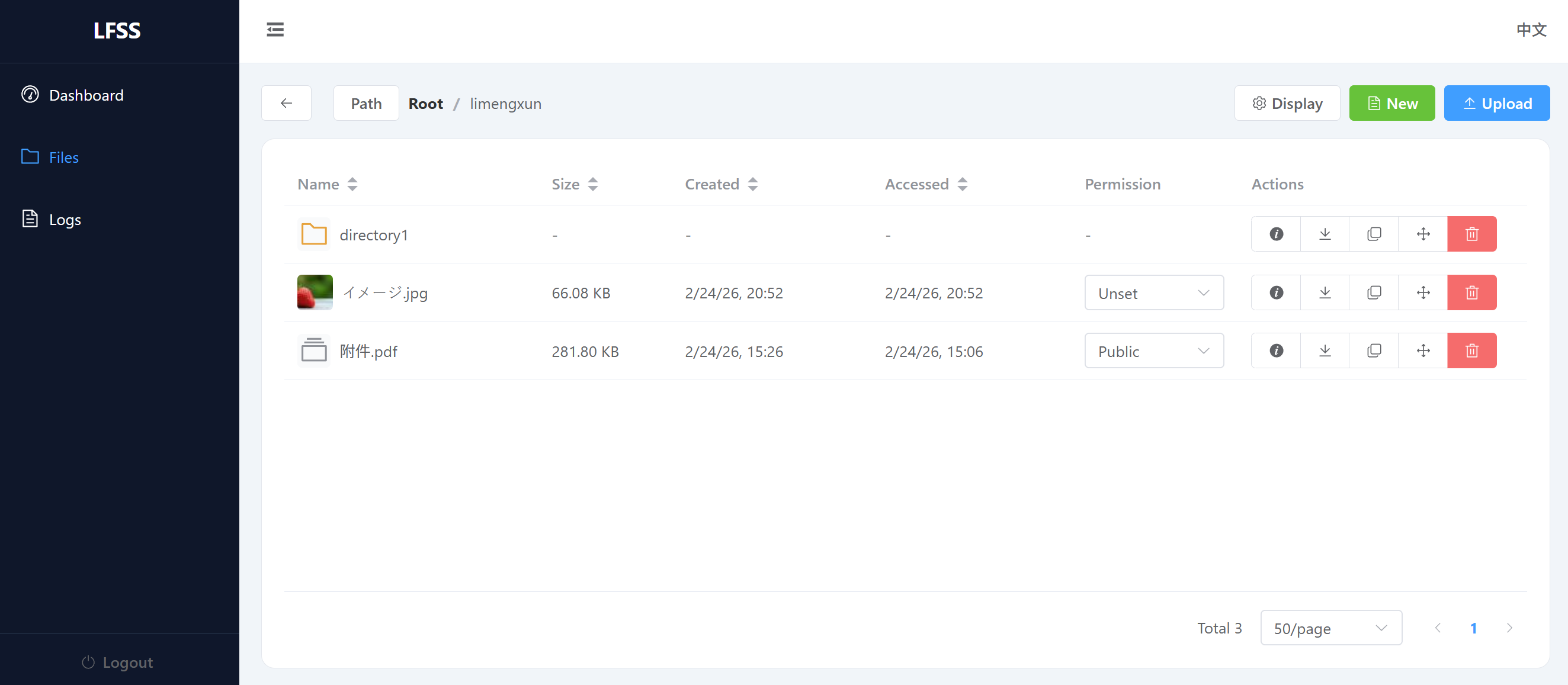
A web-based file manager is provided in the package.
The web app can be accessed at the /.panel/ path after starting the LFSS server.
e.g. if your server is running at http://localhost:8000, you can open the panel at http://localhost:8000/.panel/.
Alongside the web server, a JavaScript API client is also provided at the http://your-server-endpoint/.panel/api/ endpoint, which can be used to interact with the LFSS server in your own frontend projects.
http://your-server-endpoint/.panel/api/
├──  api.ts
├──  api.js
└──  api.d.ts
Simply include the files in your project to easily interact with the LFSS server.
Python Tools
To install python CLI tools:
pip install lfssThen set the LFSS_ENDPOINT, LFSS_TOKEN environment variables, then you can use the following commands:
# Check current user information
lfss whoami

# Query a path
lfss i remote/file[/or_dir/]

# List a specified path,
# with pagination and sorting
lfss ls remote/dir/ --offset 0 --limit 100 --order access_time

# Upload a file
lfss up local/file.txt remote/file.txt

# Upload a directory, note the ending slashes
lfss up local/dir/ remote/dir/

# Download a file
lfss down remote/file.txt local/file.txt

# Download a directory, with 8 concurrent jobs
# Overwrite existing files
lfss down remote/dir/ local/dir/ -j 8 --conflict overwrite
More commands can be found using lfss --help.
Python API
The CLI is essentially a wrapper around the Python API. You can also use the Python API directly in your project. For example, to stream download the first file in your root directory:
from lfss.api import Client

c = Client()

user = c.whoami()

# make sure there is at least one file in your root directory
assert c.count_files(f"{user.username}/") > 0

file = c.list_files(f"{user.username}/")[0]

# use the original filename
with open(file.name(), "wb") as f:
    for chunk in c.get_stream(file.url, chunk_size=8192):
        f.write(chunk)
More comments can be found at the implementation of the Client class.